- Why Your Response Matters More Than You Think
- The Golden Rule: Wait Before You Type
- The Anatomy of a Great Negative Review Response
- Step 1: Acknowledge and Thank
- Step 2: Apologize Without Making Excuses
- Step 3: Address the Specific Complaint
- Step 4: Take It Offline
- Step 5: Close Professionally
- What Never to Say in a Google Review Response
- Handling Fake or Malicious Reviews
- Flag the Review for Removal
- Respond As If Readers Are Your Real Audience
- Response Time Matters — For Both SEO and Customer Satisfaction
- Turning Negative Reviews Into Positive Outcomes
- Industry-Specific Considerations
- Quick-Reference Checklist: Responding to Negative Reviews
How to Respond to Negative Google Reviews (Without Making It Worse)
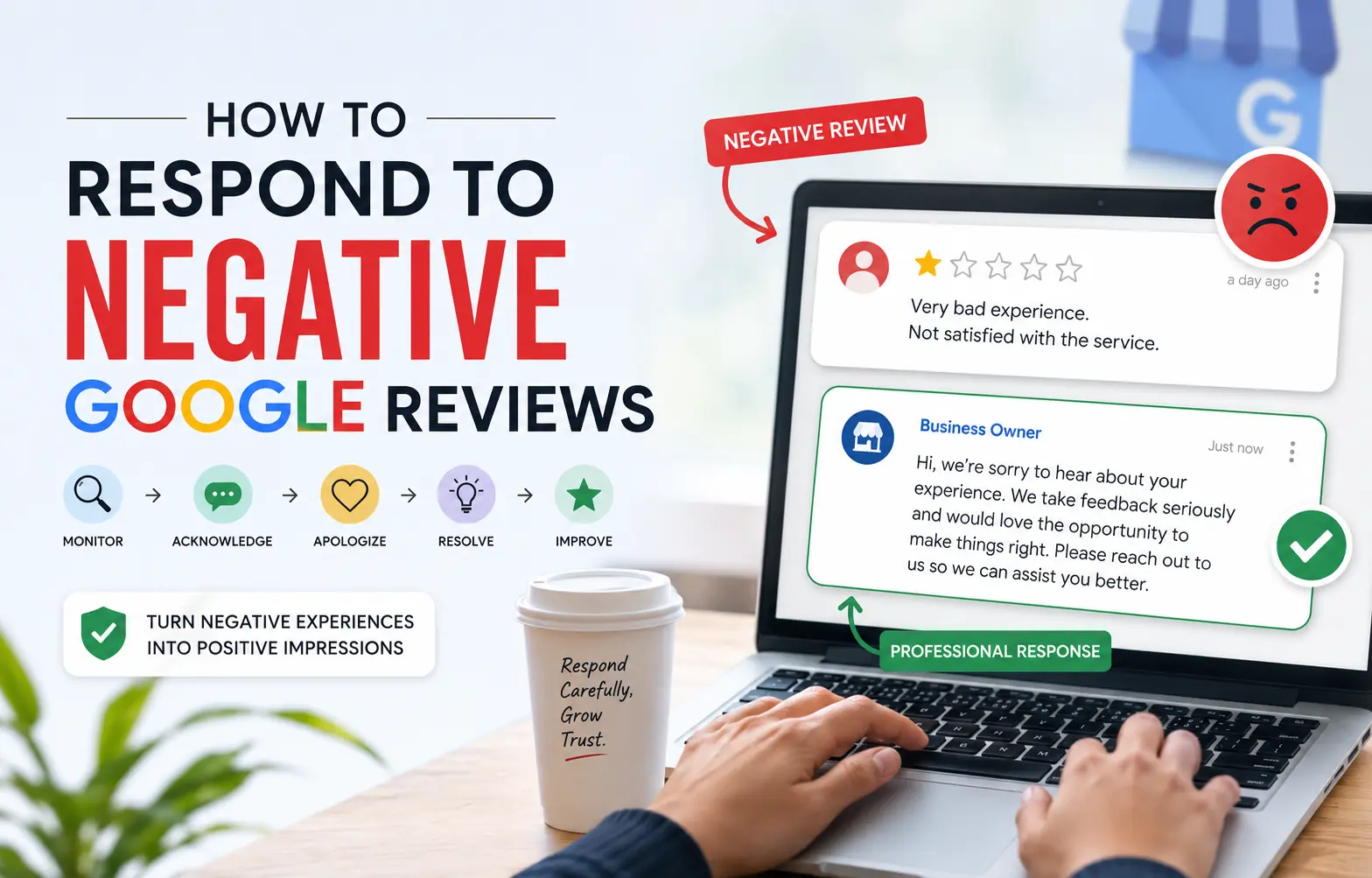 A single one-star review can send a business owner into a panic — and an impulsive, defensive reply can do far more damage than the original complaint ever could. Here's the reality: 97% of consumers who read online reviews also read business responses, and 45% say they are more likely to visit a business that takes the time to reply to negative feedback. How you respond to a bad review is, in many ways, more important than the review itself. Done right, a thoughtful google review response can neutralize a disgruntled customer, demonstrate professionalism to every future reader, and even improve your local SEO rankings. Done wrong, it becomes a public relations disaster that lives on Google Maps forever. This guide will walk you through exactly how to respond to negative reviews in a way that protects your reputation, defuses tension, and actually wins customers over — not pushes them further away.
Why Your Response Matters More Than You Think
Before diving into the "how," it's worth understanding the "why" at a deeper level. Google's algorithm actively factors review signals — including response rate and response time — into local search rankings. Businesses that consistently engage with their reviews, both positive and negative, tend to perform better in the local pack than those who ignore feedback.
Beyond rankings, consider the audience. When a potential customer sees a bad review, they're not just reading the complaint — they're watching how your business handles adversity. A calm, empathetic, solution-oriented reply communicates that your business takes customer service seriously. A defensive, dismissive, or combative response confirms every fear that prospect already had.
According to Google's official guidance on replying to reviews, responding to reviews shows that you value your customers and their feedback — and Google explicitly highlights this as a trust signal for both searchers and the algorithm alike.
The Golden Rule: Wait Before You Type
The single most destructive mistake business owners make is responding immediately — while angry, hurt, or defensive. A reply fired off in the heat of the moment almost always reads as exactly that: emotional, reactive, and unprofessional.
Give yourself a mandatory cooling-off window. Even 30 minutes of distance can completely change the tone of your response. Better yet, draft your reply, step away for a few hours, and re-read it before hitting publish. Ask yourself: "If I were a potential customer reading this for the first time, what would this reply tell me about this business?"
This pause is not just good emotional hygiene — it's a strategic advantage. Your response is permanent, public, and indexed by Google. It deserves the same care as any public-facing marketing material.
The Anatomy of a Great Negative Review Response
Every strong bad review reply follows a predictable structure. Mastering this structure means you'll never stare at a blank reply box wondering what to say.
Step 1: Acknowledge and Thank
Start by thanking the reviewer for their feedback — even if the feedback stings. This immediately disarms hostility and signals to readers that you're mature enough to receive criticism. Use the reviewer's name if it's available, as personalization prevents your response from feeling like a copy-paste template.
Example: "Hi Sarah, thank you for taking the time to share your experience with us."
Step 2: Apologize Without Making Excuses
Offer a genuine apology for the experience the customer had — not a conditional apology like "I'm sorry you feel that way," which reads as dismissive and insincere. You don't need to accept blame for something that wasn't your fault, but you can always apologize that their experience didn't meet expectations.
Example: "We're truly sorry to hear that your recent visit didn't go as it should have. That's not the experience we aim to provide."
Step 3: Address the Specific Complaint
Avoid vague, generic responses. If a customer complained about a 45-minute wait time, acknowledge that specific issue. If they mentioned a rude staff member, address the service standard directly. Specificity shows you actually read the review and aren't just running a script.
Step 4: Take It Offline
Always invite the customer to continue the conversation through a direct channel — a phone number, email address, or both. This accomplishes two things: it prevents a public back-and-forth argument, and it gives you a genuine opportunity to resolve the issue and potentially convert a critic into a loyal customer.
Example: "We'd love the opportunity to make this right. Please reach out to us directly at [email] or call us at [phone number] so we can resolve this personally."
Step 5: Close Professionally
End with a brief, forward-looking statement that reinforces your commitment to quality. Keep it short — this isn't a place for lengthy marketing copy.
Example: "We truly value your feedback and hope to have the chance to restore your confidence in us."
 What Never to Say in a Google Review Response
Knowing what to avoid is just as critical as knowing what to include. These are the response patterns that routinely make bad situations dramatically worse:
- Never accuse the reviewer of lying. Even if you believe the review is fabricated or exaggerated, publicly calling a customer dishonest is seen as combative by every future reader — and by Google.
- Never share private customer information. Revealing order details, medical information, account history, or other personal data in a public reply is both a privacy violation and a reputational catastrophe.
- Never use all-caps or aggressive punctuation. These communicate anger and defensiveness instantly, regardless of the actual words used.
- Never write a wall of text. Long, rambling defenses are exhausting to read and signal that you're more interested in winning the argument than resolving the problem. Keep responses under 150 words in most cases.
- Never mention competitor businesses. Even if a competitor planted a fake review, dragging them into your public reply looks petty and unprofessional.
- Never offer discounts or free services publicly. This signals to every reader — including bad actors — that negative reviews get rewarded with freebies.
Handling Fake or Malicious Reviews
Not every negative review represents a genuine customer experience. Fake reviews from competitors, disgruntled ex-employees, or even cases of mistaken identity do happen. Here's how to handle them without losing your composure publicly.
Flag the Review for Removal
If a review clearly violates Google's review policies — spam, fake content, off-topic posts, or hate speech — flag it directly in your Google Business Profile dashboard. Navigate to the review, click the three-dot menu, and select "Report review." Note that Google's removal process can take days to weeks and is not guaranteed.
Respond As If Readers Are Your Real Audience
Even for reviews you believe are fake, craft a calm, professional response. Something like: "We've reviewed our records and are unable to find any account matching this experience. We take all feedback seriously and invite you to contact us directly at [email] so we can investigate further." This positions you as credible and methodical to any potential customer reading the exchange.
Response Time Matters — For Both SEO and Customer Satisfaction
Speed counts. Studies consistently show that 53% of customers expect a response to a negative review within 7 days — and businesses that respond within 24–48 hours demonstrate a level of attentiveness that competitors who ignore reviews simply cannot match.
Set up Google Business Profile notifications so you're alerted immediately when a new review comes in. If you manage multiple locations, consider using a review management workflow or dashboard to ensure no feedback slips through the cracks. Consistent review engagement is one of the highest-ROI activities tied to your Google My Business optimization strategy.
Turning Negative Reviews Into Positive Outcomes
Here's a counterintuitive truth that experienced reputation managers understand well: a business with a 4.2-star average and visible, thoughtful responses to its negative reviews often outperforms a 5.0-star business with zero engagement. Why? Because consumers trust businesses that look human, responsive, and real — not businesses that look too perfect to be genuine.
When you resolve a complaint professionally and invite the customer back, a meaningful percentage of them will actually return — and some will update their original review to reflect the positive resolution. That's not just good customer service; it's organic reputation recovery that no paid advertising can replicate.
Make it a habit to follow up internally after each negative review. Use the feedback as a genuine diagnostic tool. If three different reviewers in one month complain about wait times, that's operational data. If multiple reviews mention the same team member negatively, that's an HR and training signal. Negative reviews, when approached constructively, are among the most honest market research available to a small business owner.
For broader guidance on managing all types of customer reviews effectively, our detailed guide on how to respond to Google reviews with templates and tips covers both positive and negative scenarios with ready-to-use response frameworks.
Industry-Specific Considerations
The appropriate tone and level of detail in a google review response can vary significantly by industry. Here are key considerations for the most review-sensitive sectors:
- Healthcare & Medical: Never confirm or deny that the reviewer is a patient. HIPAA regulations prohibit sharing protected health information publicly. Acknowledge the concern and direct them to your patient relations team offline.
- Restaurants & Hospitality: Timeliness matters most here. A stale response to a bad dining experience feels meaningless. Aim to reply within 24 hours, reference the specific meal period or service mentioned, and invite them back.
- Legal & Financial Services: Avoid discussing case specifics or account details. Focus on your commitment to client satisfaction and provide a private contact channel.
- Home Services & Contractors: Address the specific job described if possible, clarify any misunderstandings about scope or pricing professionally, and offer to have a supervisor follow up directly.
- Retail: If a product or service issue is mentioned, offer a clear path to resolution — return policy, exchange, or direct contact — in your reply.
 Quick-Reference Checklist: Responding to Negative Reviews
Use this checklist every time you prepare a bad review reply to ensure nothing critical is missed:
- ✅ Wait: Did you allow yourself a cooling-off period before drafting your response?
- ✅ Personalize: Did you address the reviewer by name (if available)?
- ✅ Thank: Did you thank them for sharing their feedback?
- ✅ Apologize genuinely: Did you offer a sincere apology without deflecting blame with excuses?
- ✅ Address the specifics: Did you acknowledge the actual complaint rather than giving a generic response?
- ✅ Take it offline: Did you provide a direct contact method (email or phone) to continue the conversation privately?
- ✅ Keep it brief: Is your response under 150 words? (Unless the situation genuinely requires more detail.)
- ✅ Avoid forbidden phrases: Did you remove any defensive language, accusations, or public discount offers?
- ✅ Review for tone: Does the response sound like a calm, professional business — not a frustrated owner?
- ✅ Close constructively: Did you end with a forward-looking statement that invites resolution?
- ✅ Follow up internally: Did you log the complaint as operational feedback for your team?
- ✅ Respond promptly: Was the response submitted within 48 hours of the review being posted?
Mastering how to respond to negative reviews is not about winning arguments — it's about demonstrating, to every person who ever searches for your business, that you are a company worth trusting. Every response you publish is both a customer service act and a marketing statement. Treat it accordingly, and your Google Business Profile will become one of your strongest competitive advantages in local search.