- What Is the Google Business Profile QandA Feature?
- Why GBP QandA Matters More Than Most Businesses Realize
- The Real Risks of Ignoring Your Business Profile QandA
- How to Seed Your Own QandA Section Strategically
- Asking and Answering Your Own Questions
- Writing Answers That Actually Convert
- How GMB Guru Handles QandA for Our Clients
- Monitoring and Responding to New Questions in Real Time
- Reporting and Removing Inappropriate QandA Content
- QandA as Part of Your Broader GBP Optimization Strategy
- GBP QandA Quick Wins: Your Action Checklist
- Ready to Turn Your GBP QandA Into a Customer Engine?
Google Business Profile Q&A: How to Use It to Win More Customers
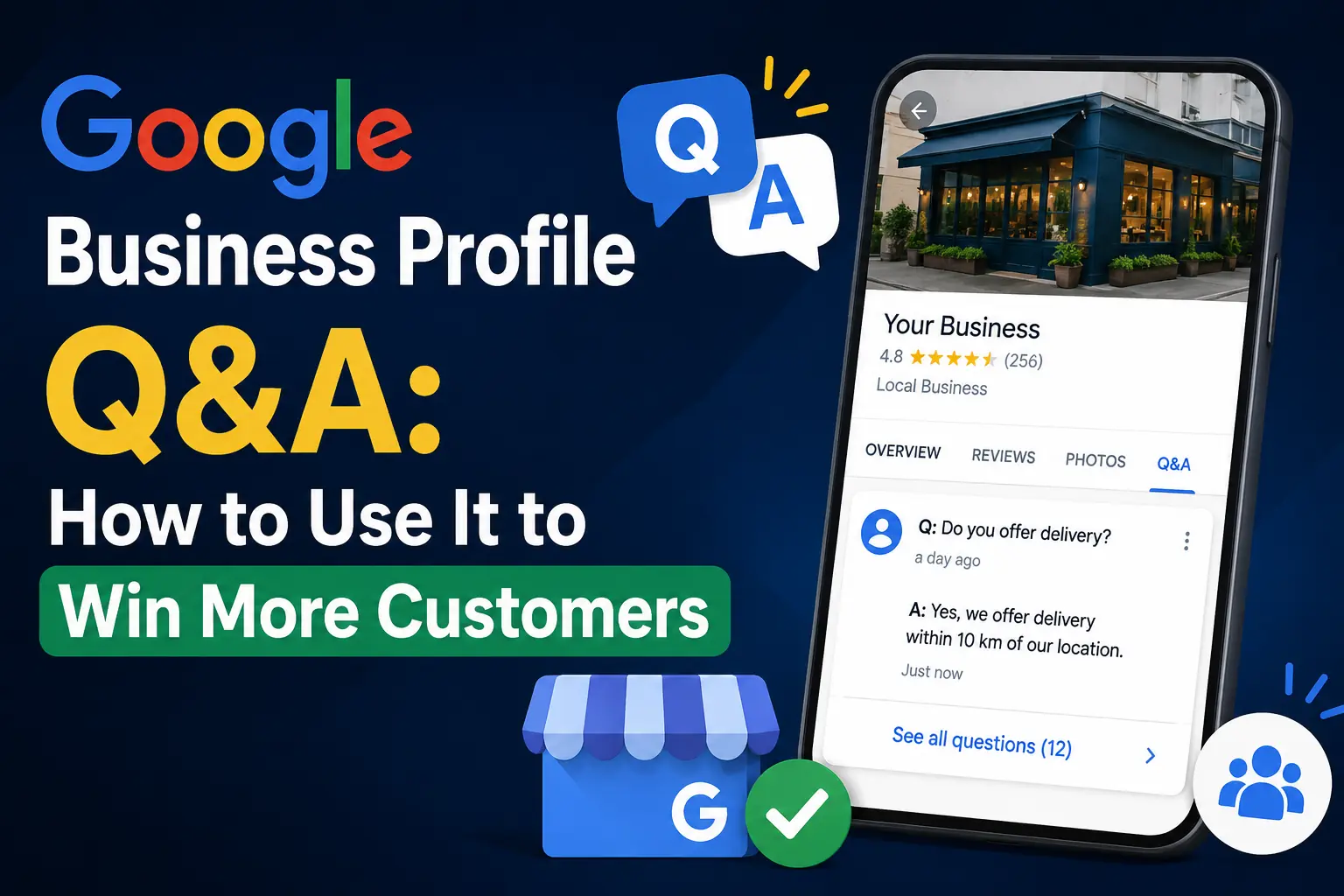 Most business owners obsess over their star rating and photo gallery — and then completely ignore one of the most powerful conversion tools sitting right on their Google Business Profile: the Q&A section. If you've ever Googled a local business and noticed a list of questions and answers appearing directly beneath the business name, that's the GBP Q&A feature in action. It's publicly visible, it influences buyer decisions, and — here's the part that surprises most people — anyone on the internet can answer questions about your business, not just you. That's either a massive opportunity or a serious liability, depending on how you manage it. At GMB Guru, we've helped hundreds of US businesses turn their Google Business Profile Q&A into a genuine customer acquisition tool. In this guide, we'll show you exactly how it works, why it matters, and how to use it strategically to win more customers from Google Search and Google Maps.
What Is the Google Business Profile Q&A Feature?
The Google questions and answers feature is a public forum embedded directly into your Google Business Profile listing. It appears in Google Search and Google Maps results, typically below your core business information. Any signed-in Google user — a potential customer, a competitor, or a random stranger — can post a question about your business. And critically, any other Google user can answer it, whether or not they've ever set foot inside your business.
This is not a private messaging system. Every question and every answer is visible to anyone who views your profile. According to Google's own documentation, business owners can and should respond to questions through their Google Business Profile — and doing so consistently is one of the most underutilized optimization moves in local SEO.
Think of the Q&A section as a live FAQ panel sitting on your most important piece of digital real estate. Done right, it pre-answers objections, builds trust, and nudges searchers toward calling, clicking, or walking through your door. Done wrong — or ignored entirely — it becomes a breeding ground for misinformation that quietly costs you customers every single day.
Why GBP Q&A Matters More Than Most Businesses Realize
Here's a number that stops our clients cold: studies on local consumer behavior consistently show that over 60% of local searches result in a customer action within one hour. These are high-intent searchers. They're not browsing — they're deciding. And the Q&A section is one of the last things they read before they make that decision.
Beyond conversion, Google questions and answers have a direct relationship with your local SEO performance. Here's why:
- Keyword signals: Questions and answers that contain relevant keywords send additional relevance signals to Google's local ranking algorithm. When you answer a question using your target service terms naturally, you're reinforcing what your business does.
- Content freshness: Active Q&A engagement signals to Google that your profile is managed and up to date — a positive ranking factor.
- Featured snippets: In some cases, well-written Q&A answers appear as featured content in mobile search results, giving you additional SERP real estate.
- Trust and click-through rate: A profile with answered questions looks more credible than one with unanswered or poorly answered questions. Higher trust leads to more clicks, which feeds back into your local ranking.
If you want to understand the full picture of what's driving visibility on Google Maps, our deep dive into Google Maps ranking factors in 2026 covers the complete landscape — and Q&A engagement is clearly part of that story.
The Real Risks of Ignoring Your Business Profile Q&A
Ignoring the Q&A section isn't neutral — it's actively dangerous. Here's what happens when business owners leave this feature unmanaged:
- Strangers answer for you — incorrectly. A well-meaning customer might answer a question about your hours, pricing, or services with outdated or flat-out wrong information. You have no control over this unless you're monitoring it.
- Competitors or bad actors can manipulate it. While Google has policies against this, the Q&A section has been used by competitors to spread misleading answers about a rival's business.
- Unanswered questions signal neglect. When a potential customer sees three unanswered questions sitting on your profile, it sends a message: nobody's home. That erodes confidence instantly.
- You miss a sales opportunity. Every question is a customer who wanted to buy but needed one more piece of information first. If that question goes unanswered, you've lost that lead.
We've seen businesses lose significant local market share simply because their Q&A sections were filled with wrong information and unanswered questions. It's one of the first things our team audits during a Google Business Profile audit.
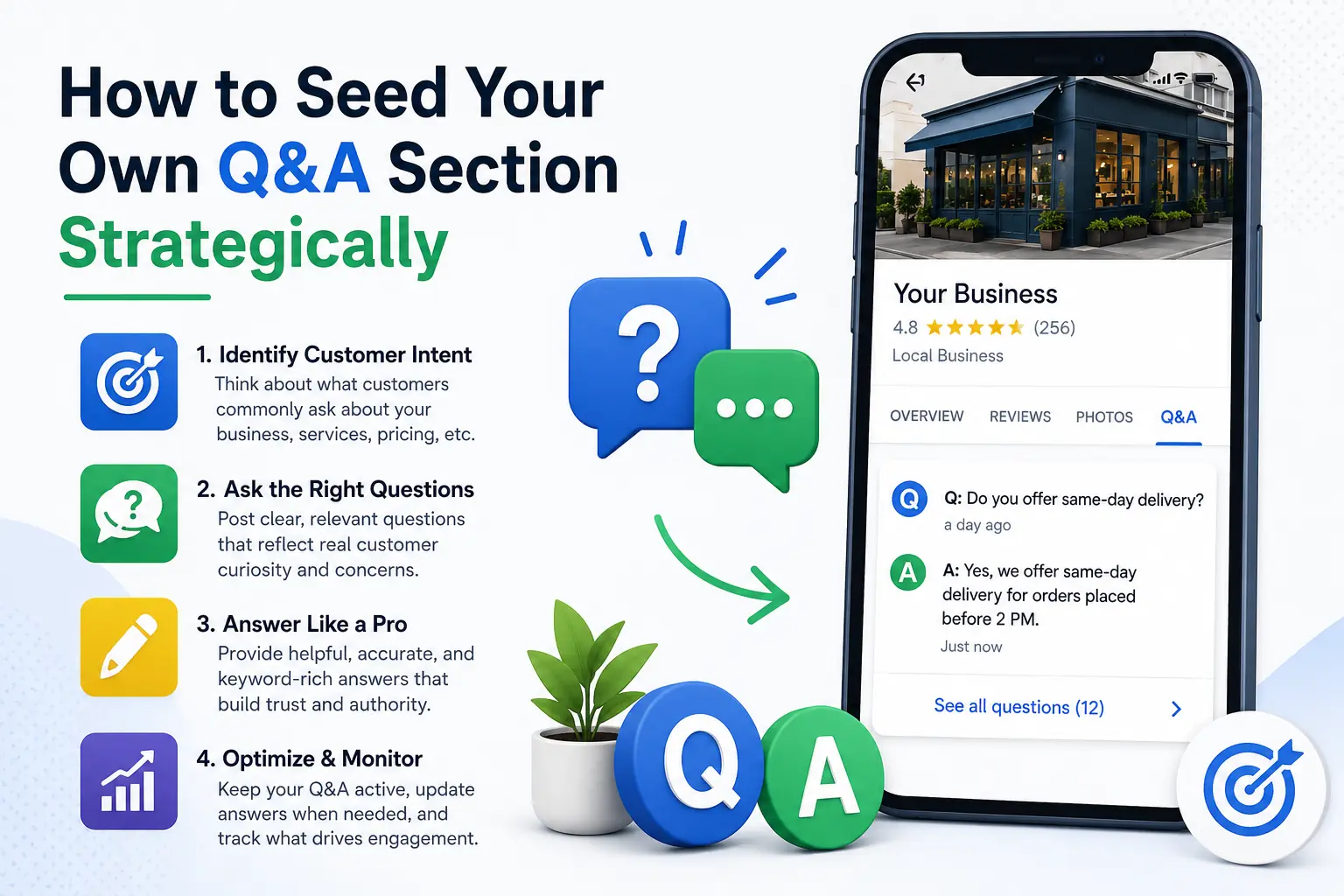
How to Seed Your Own Q&A Section Strategically
 Asking and Answering Your Own Questions
Here's something Google explicitly allows: you can ask questions on your own business listing using a personal Google account, then switch to your business account to answer them. This isn't a loophole — it's a legitimate strategy to build out a comprehensive FAQ that serves both your customers and your SEO goals.
The key is to think like your customers. What do people ask before they commit to calling you? Common high-value question categories include:
- Pricing and payment: "Do you accept insurance?" / "What is the average cost for [service]?"
- Hours and availability: "Are you open on Sundays?" / "Do you offer same-day appointments?"
- Service specifics: "Do you serve [specific neighborhood or city]?" / "Do you offer free estimates?"
- Credentials and trust: "Are your technicians licensed and insured?" / "How long have you been in business?"
- Process questions: "What happens during the first appointment?" / "How long does the job typically take?"
Aim for 8 to 15 seeded Q&A entries covering your most common pre-sale objections and curiosity points. Keep answers informative, natural, and keyword-rich — but never robotic or stuffed with unnecessary terms.
Writing Answers That Actually Convert
A great Q&A answer does three things: it directly answers the question, it reinforces your credibility, and it subtly moves the reader toward taking action. Here's a before and after to illustrate:
Weak answer: "Yes, we offer that service."
Strong answer: "Yes — our licensed plumbers offer emergency water heater installation across the Dallas-Fort Worth area, including same-day service in most cases. We carry all major brands and provide upfront pricing before any work begins. Call us at [number] to schedule a free assessment."
The second answer includes local keywords, trust signals (licensed, upfront pricing), and a soft call to action. That's the difference between a Q&A that informs and one that converts.
How GMB Guru Handles Q&A for Our Clients
At GMB Guru, our approach to business profile Q&A isn't a one-time setup — it's an ongoing part of our Google Business Profile optimization service. Here's what our process looks like in practice:
- Initial Q&A Audit: We review every existing question and answer on your profile. We flag incorrect answers, unanswered questions, and missed keyword opportunities. This audit is part of our broader profile health assessment.
- Competitor Q&A Research: We analyze what questions are being asked on your top local competitors' profiles. This reveals exactly what your shared target customers want to know before they buy.
- Strategic Q&A Seeding: Our team crafts 10–15 high-value question-and-answer pairs tailored to your specific business, services, and service area. These are optimized for local keywords without sounding artificial.
- Upvoting for Visibility: Google surfaces Q&A entries based on upvotes. We ensure your most important answers get the visibility signals they need to appear prominently in search results.
- Ongoing Monitoring: New questions get asked all the time. Our team monitors your Q&A section regularly, responds to new questions promptly, and flags any inappropriate or incorrect answers for removal.
The result? Our clients' profiles present a polished, credible, and conversion-optimized front to every potential customer who finds them on Google. If you want to see the full scope of what we do, explore our Google My Business optimization services.
Monitoring and Responding to New Questions in Real Time
Google sends a notification to the business owner when a new question is posted on their profile — but only if you have notifications enabled in your Google Business Profile dashboard. Many business owners have these turned off or don't check them, which means questions sit unanswered for days or weeks.
Here's why speed matters: Google's algorithm surfaces recently answered questions more prominently than older ones. When a potential customer asks something and you respond within hours, you signal both to Google and to the customer that your business is attentive and trustworthy. Response time in the Q&A section carries similar weight to response time in Google Messages — it's a behavioral signal that feeds your local ranking.
We recommend checking your Q&A section at minimum twice per week if you're managing it manually. For businesses in competitive local markets, daily monitoring is the standard our team applies for managed clients.
Reporting and Removing Inappropriate Q&A Content
Not every question or answer on your profile will be legitimate. Spam, off-topic content, competitor manipulation, and outright false information all appear in business profile Q&A sections more frequently than most owners realize. Google does have a flagging system that allows business owners to report inappropriate content for removal, but the process requires persistence — Google doesn't always remove flagged content on the first attempt.
Our team has developed a clear escalation process for getting problematic Q&A content removed efficiently. This includes proper use of Google's flagging system, follow-up through the Google Business Profile support channel, and documentation of policy violations when needed. If you're also dealing with broader issues with your profile, our GMB help and support service covers exactly these kinds of complex situations.
Q&A as Part of Your Broader GBP Optimization Strategy
The Q&A section doesn't operate in isolation. It works best when it's integrated into a holistic Google Business Profile strategy that also covers categories, services, posts, photos, and reviews. A business that has a perfectly optimized Q&A section but neglects its service listings or ignores review responses will still underperform against competitors who treat their GBP as a complete marketing asset.
Some of the most impactful GBP elements to align with your Q&A strategy include:
- Google Business Profile Posts: Use posts to reinforce the same value propositions you highlight in your Q&A answers. Learn more in our guide to using GBP posts to get more customers.
- Services and Products: Q&A questions about specific services signal which offerings deserve more detail in your profile's Services section.
- Review responses: Customers who read your Q&A will often scroll to your reviews next. A profile that answers questions thoughtfully and responds to reviews professionally creates a powerful trust loop.
- Local SEO signals: For businesses competing in dense local markets, Q&A is one component of a broader local SEO strategy that includes citations, on-site optimization, and Maps ranking signals.
 GBP Q&A Quick Wins: Your Action Checklist
If you're ready to take action today, here's what we recommend as a starting framework — the same checklist our team uses when onboarding a new client:
- ✅ Enable Q&A notifications in your Google Business Profile dashboard so you're alerted to new questions immediately
- ✅ Audit all existing Q&A entries — flag incorrect answers for removal and respond to any unanswered questions
- ✅ Seed 10–15 strategic questions using a personal Google account, then answer them from your business account
- ✅ Incorporate local keywords naturally into your answers (city name, service type, differentiators)
- ✅ Include a soft CTA in at least a few answers (e.g., "Call us to schedule a free estimate")
- ✅ Monitor weekly for new questions from real customers and respond within 24 hours
- ✅ Upvote your best answers to help them appear more prominently in search results
- ✅ Align Q&A themes with your GBP posts, services section, and review responses for a consistent brand message
This checklist gets you started — but for businesses in competitive markets, executing this consistently while running your actual business is a real challenge. That's where having a certified GBP partner makes the difference.
Ready to Turn Your GBP Q&A Into a Customer Engine?
The businesses winning on Google Maps in 2026 aren't leaving any profile feature untouched. They're treating every section — including Q&A — as an opportunity to educate, build trust, and convert searchers into paying customers. The problem is that most business owners simply don't have the time, the expertise, or the systems to manage this consistently.
That's exactly what GMB Guru exists to solve. We're a certified Google Business Profile agency with a proven track record of helping US businesses get more calls, more direction requests, and more revenue from Google Search and Google Maps. Our team handles everything: Q&A seeding and monitoring, full profile optimization, local SEO strategy, and ongoing management — so you can focus on running your business while we focus on growing it.
If you want your Google Business Profile working as hard as it possibly can — with every section optimized, every question answered, and every opportunity captured — the next step is a conversation with our team. Explore our Google Business Profile optimization service or reach out directly through our website. We'll show you exactly where your profile is leaving money on the table — and how we fix it.