What is Google Business Profile Video Verification?
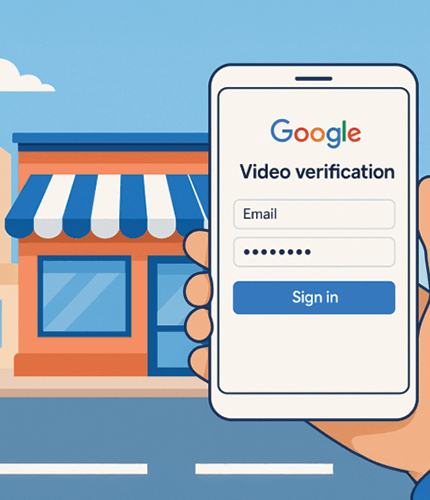
Google Business Profile video verification is Google's most rigorous method of confirming business ownership and physical presence. Google asks you to submit a short, continuous video showing your business signage, street address, and interior operations — all in one uncut take. The video is reviewed by Google's team within 5–7 business days. Once approved, your profile receives full verified status in Google Maps and local search. Google Business Profile Verification is increasingly the default method for new listings, re-verifications, and post-suspension reinstatements. Our Google Business Profile Video Verification Services ensure your video meets every requirement — and that you pass the first time. For a complete walkthrough before we start, read our GBP Video Verification guide. Need to verify GBP quickly? Call (800) 743-1123.
Who Needs Google Business Profile Video Verification Services?
Google issues video verification requests in specific situations — not all businesses face the same scenario. Understanding which situation applies to you determines the approach our Google Business Verification Expert team uses for your profile.
Whether you're claiming a brand-new Google Business listing or recovering a reinstated profile, our Professional Google Business Profile Video Verification service is built around your exact situation — not a one-size-fits-all script.
New Business Profile Creation
First-time GBP owners in high-scrutiny categories — locksmiths, movers, cleaning services, home services — are almost always routed to video verification. We ensure your new listing passes on the first submission and appears in Google Maps immediately.
Google Re-Verification Request
Google periodically asks existing businesses to re-verify — especially after an address change, phone number update, or ownership transfer. Our team helps you navigate this process without losing your existing reviews, rankings, or profile data.
Post-Suspension Reinstatement
After a suspended GBP is reinstated, Google often requires video verification before restoring full visibility. This is one of the most high-stakes scenarios — failure means your profile stays invisible. Our Google Business Profile Verification Help is specifically designed for post-suspension situations. See also: GBP Suspension Recovery.
Ownership Transfer
When a business is acquired or management changes, Google may require the new owner to verify the profile. Our team guides new owners through the exact documentation and video requirements to establish legitimate ownership quickly.
Flagged or Inconsistent Profile
Profiles flagged by user reports, spam filters, or data inconsistencies may be required to undergo video verification even without a suspension. We review your profile's current status and provide Help with Google Business Profile Video Verification tailored to your specific flag type.
Failed Verification Resubmission
Already tried and failed? Each rejection adds delay and, in some cases, increases scrutiny on your account. Our team diagnoses the exact reason for your failed attempt, corrects the issue, and guides your resubmission — so you don't repeat the same mistake.
What Our Google Business Profile Video Verification Services Include
Every engagement includes dedicated support from a certified Google Business Profile Video Verification Consultant — start to finish.
Profile & Situation Audit
Before filming a single second, we audit your Google Business Profile — category, address match, business name consistency, prior flags, and verification history. This gives us the exact information needed to build your custom filming plan. For businesses with broader local visibility goals, our Local SEO Services build on top of your verified GBP with citation and NAP consistency work.
Custom Shot-by-Shot Filming Plan
Our Google Business Profile Verification Experts create a specific, sequenced filming plan for your business type — storefront, service-area, home-based, or franchise. Not a generic checklist. A plan built for your exact location and category.
Live Video Call Recording Guidance
A specialist joins you live on a video call while you film. We direct every shot in real time — telling you exactly where to stand, what angle to hold, how long to pause, and how to transition from exterior to interior without cutting the recording.
Pre-Submission Video Review
Send us your completed video before you submit it to Google. Our team reviews it frame by frame against Google's current requirements and flags any issue. Our Google Business Profile Verification Assistance at this stage prevents the vast majority of rejections.
Submission & Dashboard Support
We walk you through the correct submission channel in your GBP dashboard, confirm the verification window is still open, and provide Video Verification Support throughout the upload and submission process so nothing goes wrong at the final step.
Post-Verification Profile Optimization
Getting verified is only the first step. Once your profile is confirmed, we optimize categories, attributes, photos, and services to translate verification into actual Google Maps rankings and customer calls. See our GBP Optimization Services for details.
100% Money-Back Guarantee
Our Google Business Profile Video Verification Services come with a full money-back guarantee. If your profile doesn't achieve verified status after following our complete guidance, we refund your service fee — no questions asked.
How Do I Verify My Google Business Profile with Video?
To verify Google Business Profile with video, you must: (1) Open your GBP dashboard and navigate to the verification prompt; (2) Select video as your verification method; (3) Record a single continuous video showing your exterior signage, building address, and interior operations in one uncut take; (4) Upload and submit through the correct channel in your dashboard before the verification window closes; (5) Wait 5–7 business days for Google's review team to assess the footage. The Google Business Verification Process is straightforward in theory but has specific technical requirements that cause many businesses to fail on the first attempt — particularly around continuity, lighting, signage readability, and address visibility. Our Google Business Verification Services handle the complexity so you don't have to.
Why Hire a Google Business Profile Video Verification Consultant?
DIY verification works — sometimes. But when it doesn't, the cost in time, lost leads, and compounded scrutiny is significant. Here's what professional Google Business Verification Expert guidance prevents.
We Know What Google's Reviewers Actually Check
Google does not publish its exact reviewer criteria. We've guided 500+ verifications and know the specific elements — in the specific sequence — that determine approval. That institutional knowledge is what you're hiring.
Your Business Type Changes the Requirements
A retail storefront, a home-based accountant, a plumber, and a franchise location all have different filming requirements. The Google Business Verification Process is not one-size-fits-all — and a generic approach is a primary cause of rejection.
Pre-Submission Review Catches Issues Before Google Does
The most valuable thing we do is review your video before you hit submit. We catch the exact issues Google would reject — blurry signage, wrong camera angle, an accidental pause — before they cost you another 5–7 day wait.
Rejection Recovery Without Compounding the Problem
Repeated failed submissions can increase scrutiny on your account. If you've already been rejected, get GBP Video Verification Support before submitting again. We identify the exact rejection reason and correct it — not just guess differently and try again. Read our breakdown of the most common reasons GBP video verification gets rejected before your next attempt.
Our GBP Verification Services by Business Type
Every business type has different filming requirements. Our approach adapts to what Google actually needs to see for your specific category and location setup.
🏠 Retail & Storefront Businesses
Standard storefront businesses must show exterior signage, street address, and a continuous walk-through to the interior workspace. Our consultant guides your filming sequence to ensure Google's reviewer sees everything in the right order — address → signage → entrance → interior.
- ✓ Exterior-to-interior continuous shot
- ✓ Business hours and open-for-business indicators
- ✓ Customer service area and inventory visible
🚗 Service-Area Businesses (SAB)
Plumbers, electricians, landscapers, and mobile services have no storefront to film. Our SAB-specific GBP Verification Help covers what Google accepts instead — branded vehicle, equipment, crew activity, and business documentation that establishes legitimate business identity.
- ✓ Branded vehicle filming strategy
- ✓ Equipment and uniform branding
- ✓ Active job site or home office setup
🏠 Home-Based Businesses
Home-based businesses face unique privacy and verification challenges. We help you film a compliant video that shows business activity and legitimacy without requiring you to expose your full home address or interior layout — while still satisfying Google's Google Business Profile Verification requirements.
- ✓ Dedicated home office filming approach
- ✓ Business materials, equipment, and branding
- ✓ Privacy-conscious filming strategy
🏢 Franchise & Multi-Location Businesses
Franchise locations require verification that clearly distinguishes your specific location from other franchise units. We create a filming plan that captures location-specific identifiers — your address, your signage, your interior — so Google can verify this location independently.
- ✓ Location-specific signage and address focus
- ✓ Franchise vs. independent unit clarity
- ✓ Multi-location verification sequencing
What You Unlock After Google Business Profile Verification
Verification is the gateway to everything Google Maps and local search has to offer. Here's what changes the moment your profile is confirmed.
Full Google Maps Ranking
Your profile becomes eligible for the Local 3-Pack and full Google Maps search results. Unverified profiles have severely restricted visibility — verification removes that ceiling. To maximize your ranking after verification, pair this with our GBP Optimization Services.
Customer Calls & Directions
Verified profiles show a call button and directions link directly in Google Search and Maps. These direct customer actions — calls and direction requests — are the primary ROI metric for local businesses.
Reviews & Trust Signals
Only verified profiles can actively request and respond to Google reviews. Verification is the prerequisite for building the review count that drives local search ranking and customer confidence. Our Google Business Profile reviews management guide covers exactly how to grow them after you're verified.
Profile Ownership & Control
Verification grants you full control over your business information — hours, photos, services, description — and protects your listing against unauthorized edits from third parties. If your profile was deactivated rather than suspended, our GMB Reactivation service is the correct first step before verification.
GBP Performance Insights
Verified profiles unlock full Google Business Profile analytics — search query impressions, customer actions, photo performance, and direction requests — giving you the data to grow your local presence.
Posts, Services & Products
Google Posts, Services listings, Product catalogs, and Q&A features are only available to verified profiles. These features directly support local rankings and are blocked until verification is complete.
Frequently Asked Questions
Common questions about our Google Business Profile Video Verification Services.
What is Google Business Profile Video Verification? ⌄
Google Business Profile video verification is Google's most robust method for confirming business ownership and physical legitimacy. Google asks you to record a short, continuous video at your business location — showing your signage, street address, and interior operations — then submits it for review by Google's team. Unlike postcard or phone verification, video proves both business ownership and physical presence simultaneously. Google typically completes the review within 5–7 business days. Once approved, your profile receives full verified status and appears in Google Maps and local search results.
How does GBP Video Verification work? ⌄
Google triggers a verification request in your Business Profile dashboard and opens a submission window. You record a video at your business location — exterior, signage, address, interior, and active operations — in a single continuous take with no cuts. You upload the video through the verification section of your GBP dashboard before the window closes. Google's review team then evaluates the footage and approves or rejects the submission within 5–7 business days. Approval grants full verified status. Rejection provides a stated reason and allows resubmission. Our team supports you through every stage of this process — from filming through final approval.
How do I verify my Google Business Profile with video? ⌄
To verify your Google Business Profile with video, open your GBP dashboard, navigate to the verification section, and select video as your method when prompted. Record a single uncut video (minimum 30 seconds, 60–90 seconds recommended) that shows your business exterior, readable signage, building address number, and your interior workspace in one continuous take. Upload the completed video through the verification prompt before the deadline. Google reviews within 5–7 business days. For professional guidance from our team, call (800) 743-1123 — our Google Business Verification Expert will walk you through every step.
Why did Google ask me for video verification? ⌄
Google requests video verification in five main situations: (1) New profile creation — especially in high-spam or high-scrutiny business categories; (2) Re-verification — after an address change, phone number update, or periodic review cycle; (3) Post-suspension reinstatement — before a reinstated profile is restored to full visibility; (4) Ownership transfer — when a new owner needs to establish legitimate control of an existing profile; (5) Flagged profiles — when Google detects data inconsistencies or receives user reports about your listing. Video has become Google's preferred verification method because it directly proves both physical location and business legitimacy in a single submission.
What should I include in my verification video? ⌄
Your video must include: the street or area surrounding your business (geographic context), business name signage clearly readable, building street address matching your GBP profile, a continuous walk from the exterior through the entrance into the interior (no cuts), your business workspace, equipment, or service area, and evidence of active business operations such as staff or business-specific activity. The video must be at least 30 seconds long (60–90 seconds recommended), filmed in good daylight, and submitted as one unedited take. Service-area and home-based businesses have different requirements — our GBP Verification Help team builds a custom filming plan for your specific business type. Call (800) 743-1123 for a free consultation.
How long does GBP verification take? ⌄
After submission, Google typically reviews your video within 5–7 business days. Straightforward verifications from established business categories are often resolved in 5 business days. Complex cases, high-scrutiny categories, or post-suspension verifications may extend to 10 business days. Each rejected resubmission restarts the review clock. The most effective way to reduce total time to verification is submitting a compliant, complete video on the first attempt — which is the core purpose of our Google Business Profile Video Verification Services. Businesses using our service avoid the delays caused by multiple rejection cycles.
Can experts help with GBP Video Verification? ⌄
Yes. GMB Guru is a dedicated Google Business Profile Verification Company serving businesses across the US and Canada. Our certified Google Business Profile Verification Experts handle every stage — profile audit, custom filming plan, live video call guidance, pre-submission review, submission support, and rejection recovery. We also provide full Google Business Profile Verification Support for post-suspension reinstatements, ownership transfers, and re-verification situations. Our complete Google Business Profile Verification Assistance is backed by a 100% money-back guarantee. Call (800) 743-1123 or email support@gmb-guru.com.
What happens if my video verification is rejected? ⌄
If your video is rejected, Google states a reason in your Business Profile dashboard. You must record a completely new video — not edit the original — addressing the specific issue before resubmitting. Each resubmission restarts Google's 5–7 day review window, and multiple rejections can increase account scrutiny.
If you have been rejected, do not guess and resubmit. Contact our team for Google Business Profile Verification Help first. Our Google Business Verification Services include dedicated rejection recovery — we identify the exact cause, correct it, and guide your resubmission. Visit our GBP Help & Support page or call (800) 743-1123 for immediate help.