- Why GBP Ownership Transfer Matters More Than You Think
- Understanding GBP Roles Before You Transfer Anything
- How to Transfer GBP Ownership: Step-by-Step
- Step 1 — Add the New Owner to the Profile First
- Step 2 — Confirm the Invitation Has Been Accepted
- Step 3 — Transfer the Primary Owner Role
- Step 4 — Clean Up Remaining Access
- Common Scenarios That Require a Profile Ownership Change
- Selling or Acquiring a Business
- Handing Off to or from a Marketing Agency
- Former Employee Holds the Account
- What Can Go Wrong (And How to Avoid It)
- Ownership Issues vs. Suspension: Know the Difference
- How GMB Guru Handles Ownership Transfers for Clients
- GBP Ownership Transfer Checklist
- Ready to Transfer Your GBP Without the Headaches?
Google Business Profile Ownership Transfer: Step-by-Step Guide
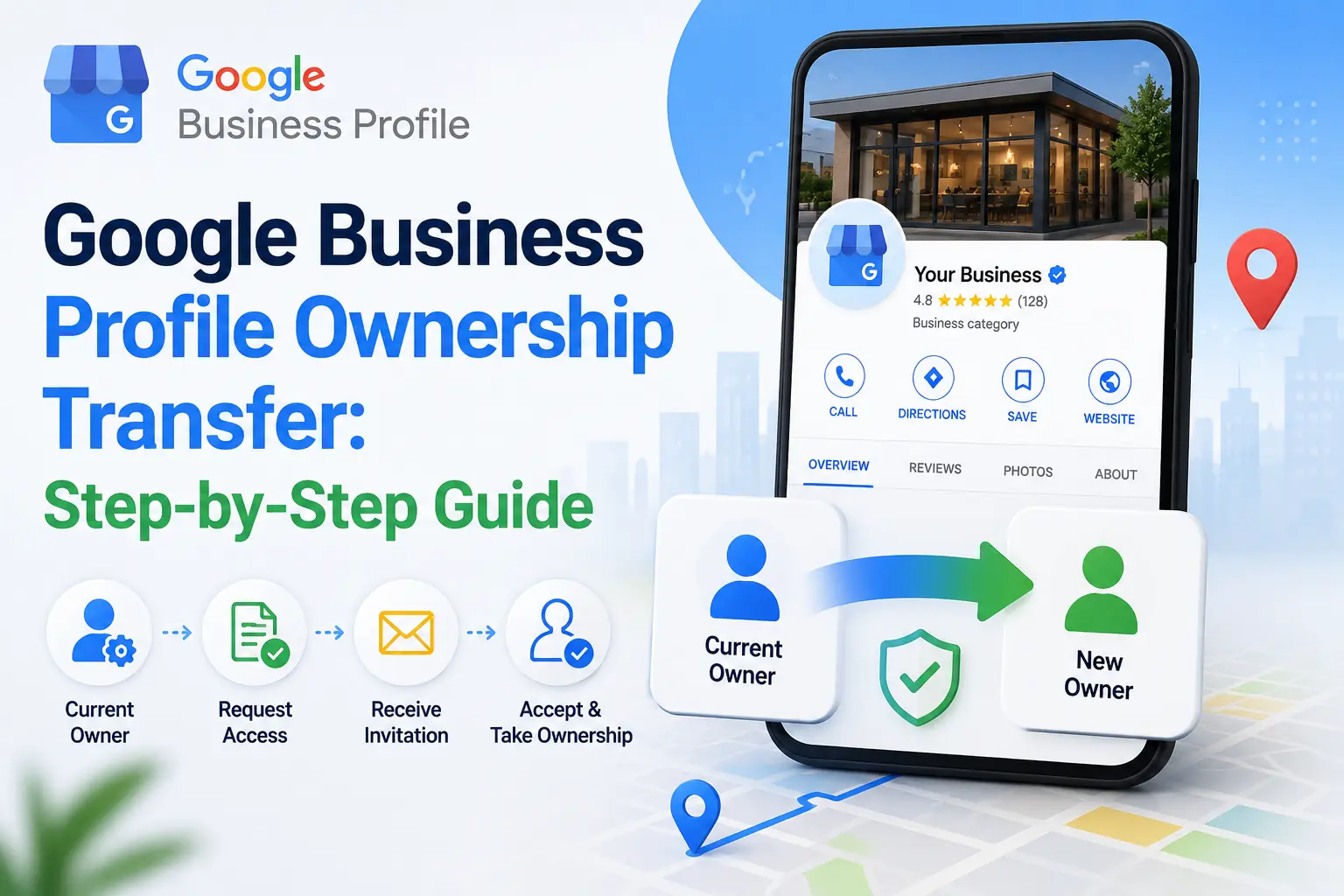 Transferring ownership of a Google Business Profile sounds straightforward — until you're actually in the middle of it. Whether you're selling a business, bringing on a new marketing manager, handing off to an agency, or untangling a profile that was set up by a former employee, the process has more moving parts than most people expect. Get it wrong and you risk losing access to a profile that's been generating local leads for years, triggering an unexpected suspension, or locking out the wrong person entirely. The good news? When you know exactly what you're doing — or you're working with a team that does — a GBP ownership transfer is clean, fast, and completely risk-free. This guide walks you through every step, every pitfall, and exactly how our team at GMB Guru handles this process for clients every single week.
Why GBP Ownership Transfer Matters More Than You Think
Your Google Business Profile isn't just a listing — it's one of the most powerful local marketing assets your business owns. It drives calls, direction requests, website clicks, and direct bookings. According to Google's own data, businesses with complete, well-managed profiles receive 7x more clicks than those with incomplete ones. When ownership is in the wrong hands — or worse, in the hands of someone who's no longer with your business — all of that value is at risk.
We've worked with dozens of business owners at GMB Guru who didn't realize their ex-marketing agency still had Primary Owner access to their profile. Others had profiles tied to a former employee's personal Gmail account with no way to recover access without going through Google's formal dispute process. These situations are more common than you'd think, and they can stall your local SEO momentum significantly. Understanding how to properly transfer GBP ownership — and doing it proactively — is one of the smartest administrative steps a business owner can take.
If you're also managing your profile's performance alongside this process, our guide on how to optimize your Google Business Profile in 2026 is a great companion read.
Understanding GBP Roles Before You Transfer Anything
Before you touch a single setting, you need to understand the three access levels Google assigns within a Business Profile:
- Primary Owner: The top-level account. Only one person can hold this role at a time. They have full control over the profile, including the ability to remove other users, transfer ownership, and delete the listing entirely.
- Owner: Nearly identical permissions to the Primary Owner, except they cannot transfer Primary Ownership or remove the Primary Owner. A profile can have multiple Owners.
- Manager: Can edit profile information, respond to reviews, add photos, and post updates — but cannot add or remove users or change ownership settings.
When most people say they want to "transfer ownership," they typically mean transferring the Primary Owner role. This is the critical distinction. You can add someone as an Owner or Manager without transferring Primary Ownership — and in many situations, that's actually the more appropriate move. Our team at GMB Guru always clarifies this with clients before making any changes, because the wrong role assignment is one of the most common mistakes we see in GBP account management.
How to Transfer GBP Ownership: Step-by-Step
Here's the exact process to complete a Google Business transfer of Primary Ownership. You must currently be the Primary Owner to complete these steps.
Step 1 — Add the New Owner to the Profile First
You cannot transfer Primary Ownership to someone who isn't already a user on the profile. Start by adding them:
- Go to business.google.com and sign in with your Primary Owner account.
- Select the business profile you're managing.
- Click on the three-dot menu or navigate to Business Profile Settings.
- Select Managers (or "People and Access" depending on your interface version).
- Click Add and enter the Google account email address of the person you're transferring to.
- Assign them the role of Owner — not Manager.
- Click Invite. They'll receive an email invitation they must accept before you can proceed.
Step 2 — Confirm the Invitation Has Been Accepted
The new user must accept the invitation before their account appears as an active Owner. This step is frequently overlooked. Remind the recipient to check their inbox — including spam — and accept within 30 days or the invite expires. Once accepted, you'll see their account listed under the Managers section with the Owner role.
Step 3 — Transfer the Primary Owner Role
- Return to Business Profile Settings → Managers.
- Click on the name of the new Owner you just added.
- In the dropdown next to their role, select Primary Owner.
- Confirm the transfer when prompted.
Google will send a confirmation notification to both accounts. The transfer takes effect immediately. You'll be automatically downgraded to the Owner role — you won't lose access unless the new Primary Owner removes you.
Step 4 — Clean Up Remaining Access
Once the transfer is complete, audit who else has access to the profile. Remove any former employees, ex-agencies, or outdated accounts. This is a step that gets skipped far too often — and it leaves the door open for unauthorized edits or even profile hijacking down the line. Our team at GMB Guru always performs a full access audit as part of any ownership transition we manage for clients.
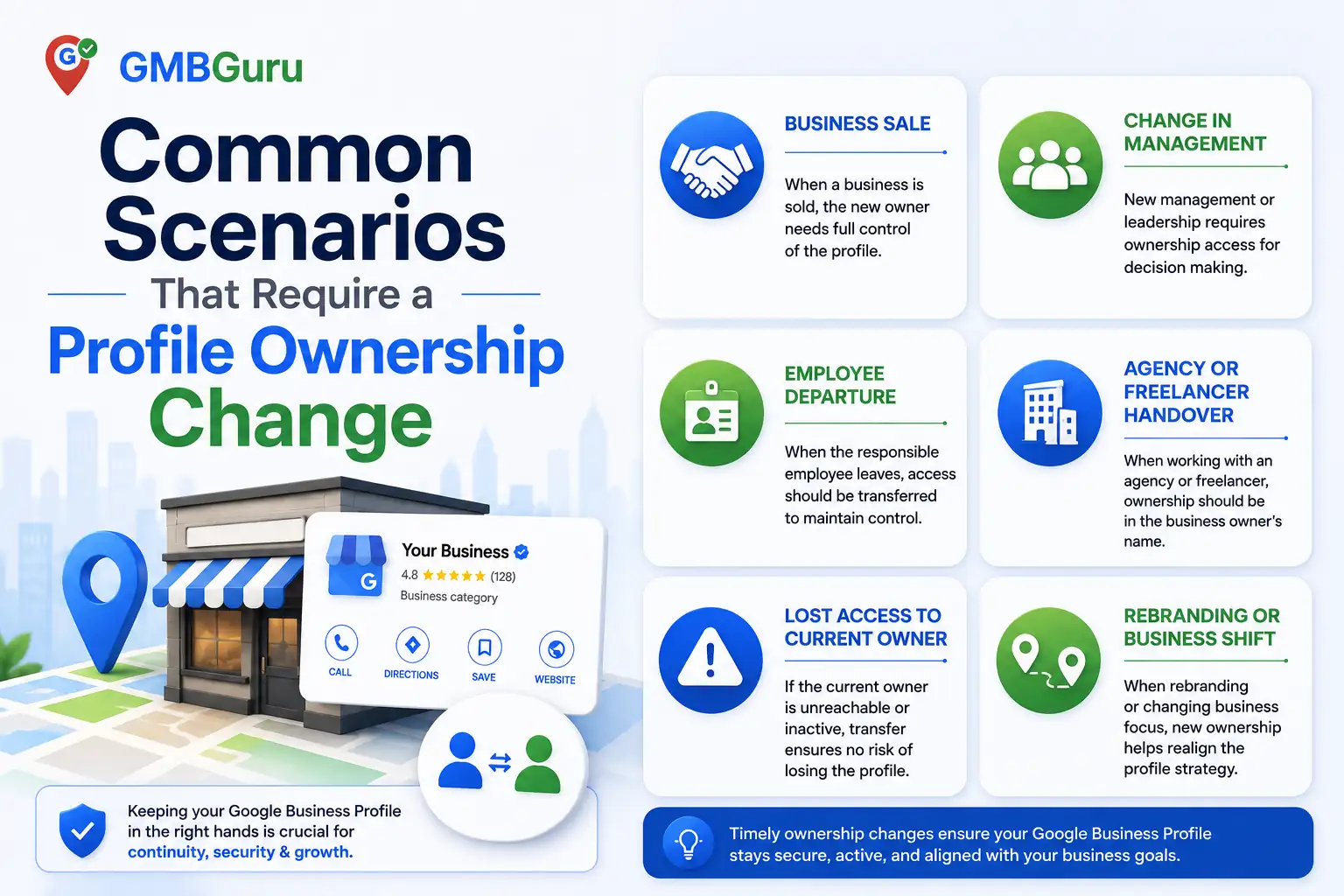 Common Scenarios That Require a Profile Ownership Change
Not every transfer looks the same. Here are the most frequent situations we encounter at GMB Guru and how to approach each one:
Selling or Acquiring a Business
This is one of the highest-stakes scenarios. The GBP profile should be part of the formal asset transfer in any business sale. As the seller, you transfer Primary Ownership before or during closing. As the buyer, make sure the transfer is confirmed — in writing — as a condition of the sale. We've seen transactions where the seller forgot, went dark, and the buyer was stuck managing a profile they technically didn't own. If you're acquiring a business and need help verifying or recovering a profile, our GMB help and support service is designed exactly for situations like this.
Handing Off to or from a Marketing Agency
When you hire an agency to manage your GBP, they should be added as an Owner or Manager — never the Primary Owner. Your business account should always retain Primary Ownership. Unfortunately, some agencies set things up the other way, which means if you ever part ways, they technically control your listing. When clients come to GMB Guru, we always structure access correctly from day one: client retains Primary Owner, our team operates as Owner-level managers. When it's time to part ways, the transition is seamless.
Former Employee Holds the Account
This is the most common emergency we see. An employee who set up the GBP listing has left the company, and the profile is tied to their personal Gmail. If they're cooperative, follow the standard transfer steps. If they're unresponsive or hostile, you'll need to go through Google's official ownership conflict resolution process — which can take anywhere from 3 to 14 business days. Having documentation of your business ownership (business license, utility bill, domain verification) significantly speeds this up. Our team at GMB Guru has navigated this process dozens of times and knows exactly what documentation Google requires to rule in your favor.
What Can Go Wrong (And How to Avoid It)
Ownership transfers seem simple but carry real risk if mishandled. Here are the most common mistakes we see — and what to do instead:
- Transferring to a personal Gmail instead of a business account: Always transfer to a Google account tied to a business domain email when possible. It creates a cleaner audit trail and makes future management easier.
- Not removing old users after the transfer: Every unnecessary user is a security vulnerability. Audit access immediately after the transfer.
- Triggering a verification request: Significant account changes — including ownership transfers — can sometimes trigger Google to re-verify the profile. If your profile gets flagged for re-verification unexpectedly, our Google Business video verification service can help you get back on track fast.
- Confusing "transfer" with "create a new listing": Never create a duplicate profile to work around an ownership issue. Duplicate listings can lead to duplicate GBP problems that hurt your local rankings and can result in suspension.
- Not verifying the transfer completed: Always log into both accounts to confirm the role changes are reflected correctly before closing the loop.
For a broader look at profile-level mistakes that put your listing at risk, our post on top GMB mistakes that get your profile suspended is required reading for any business managing their own GBP.
Ownership Issues vs. Suspension: Know the Difference
One thing our team at GMB Guru frequently clarifies for clients: an ownership access problem is not the same as a suspension — but one can lead to the other. If a profile sits unmanaged because no one has access to it, it can become stale, attract spam edits, or get flagged by Google for inactivity or unverified information. In some cases, this can escalate into a soft or hard suspension.
If you're dealing with a profile that's been suspended on top of an ownership issue, the recovery process becomes significantly more complex. Our Google Business Profile suspension recovery service is built to handle exactly these layered situations — ownership conflicts, re-verification, and suspension appeals handled together under one roof.
How GMB Guru Handles Ownership Transfers for Clients
We've managed hundreds of GBP ownership transitions across every industry and every scenario imaginable — from smooth same-day transfers to multi-week Google dispute resolutions. Here's what our process looks like when a client comes to us with an ownership issue:
- Access Audit: We review who currently has access to the profile, at what level, and whether there are any red flags (unrecognized accounts, agency-held primary ownership, personal emails on business profiles).
- Scenario Assessment: We identify which transfer path applies — standard transfer, ownership conflict, or dispute resolution — and set clear timelines and expectations with the client.
- Execution: We handle the technical steps, communicate with all relevant parties, and document every action taken for the client's records.
- Post-Transfer Verification: We confirm roles are correctly assigned across all accounts, remove any unnecessary access, and check that the profile hasn't triggered any unexpected re-verification or flags.
- Ongoing Management Setup: For clients who want continued support, we set up our team as properly structured Owners so future transitions are always clean and simple.
This process typically takes less than 24 hours for standard transfers and 5–10 business days for dispute-based recoveries. We've never had a client lose a legitimate profile through a transfer we've managed — because we treat your Google listing like the business asset it is.
If you also want us to take over day-to-day profile management after the transfer, our full-service Google Business Profile optimization service covers everything from profile health to local ranking improvements.
GBP Ownership Transfer Checklist
Before you start — or hand this off to our team — use this quick checklist to make sure nothing gets missed:
- ✅ Confirm you are currently the Primary Owner of the profile
- ✅ Identify the Google account email of the new Primary Owner
- ✅ Add them as an Owner (not Manager) and wait for acceptance
- ✅ Confirm invitation accepted — check profile Managers list
- ✅ Transfer Primary Owner role through Business Profile Settings
- ✅ Verify both accounts reflect the new role structure
- ✅ Remove all outdated, unnecessary, or unrecognized users
- ✅ Check for any re-verification prompts and address immediately
- ✅ Document the transfer date and new account details for your records
- ✅ Update any connected Google Ads, Google Analytics, or Search Console links if needed
For businesses managing multiple locations, these steps need to be repeated across every profile in your account. Our guide to multi-location Google Business Profile setup covers how to manage this at scale without creating compliance or access problems.
Ready to Transfer Your GBP Without the Headaches?
Ownership transfers are one of those tasks that look simple on paper but carry disproportionate risk when something goes wrong. A botched transfer can mean weeks of downtime on your most important local marketing channel — and in competitive local markets, that's weeks of calls, clicks, and customers going to your competitors instead.
At GMB Guru, we handle Google Business Profile ownership transfers, access audits, dispute resolutions, and full profile management for businesses across the United States. We're a certified GBP agency — which means we have direct escalation pathways with Google that most business owners simply don't have access to on their own.
Whether you need a clean same-day transfer handled by professionals, or you're dealing with a more complex ownership dispute situation, our team is ready to step in. Don't risk your Google listing on a DIY process when the stakes are this high. Reach out to GMB Guru today and let's get your profile in the right hands — and kept there.