- What Is a Google Business Profile and Why Does It Matter in 2026?
- What Do You Need Before You Start Your GBP Setup?
- How Do You Create a Google Business Profile Step by Step?
- Step 1 — Sign In and Search for Your Business
- Step 2 — Enter Your Business Name and Primary Category
- Step 3 — Add Your Location or Service Area
- Step 4 — Add Your Phone Number and Website
- Step 5 — Select Your Verification Method
- How Does GMB Guru Handle GBP Setup for New Clients?
- Our GBP Setup and Verification Process
- What Should You Do Immediately After Your GBP Is Verified?
- What Are the Most Common GBP Setup Mistakes to Avoid?
- What If I Don't Have a Physical Address — Can I Still Set Up a GBP?
- How Does GMB Guru Optimize a Profile After Initial Setup?
- Is Google Business Profile Free to Set Up in 2026?
- People Also Ask
Quick Answer
To set up a Google Business Profile in 2026, go to business.google.com, sign in with a Google account, enter your business name and category, add your location or service area, provide contact details, and complete the verification process Google assigns to you. A fully verified and optimized profile is what actually drives visibility on Google Search and Google Maps — setup alone isn't enough.
If your business isn't showing up on Google Search or Google Maps, the most likely reason is simple: you haven't set up — or properly optimized — a Google Business Profile. In 2026, a GBP isn't optional for local businesses. It's the primary way Google surfaces your business to nearby customers who are actively searching for what you offer. Whether you're a new business owner starting from zero or someone who's been putting this off for months, this guide walks you through every step of the process — and explains where most businesses quietly go wrong.
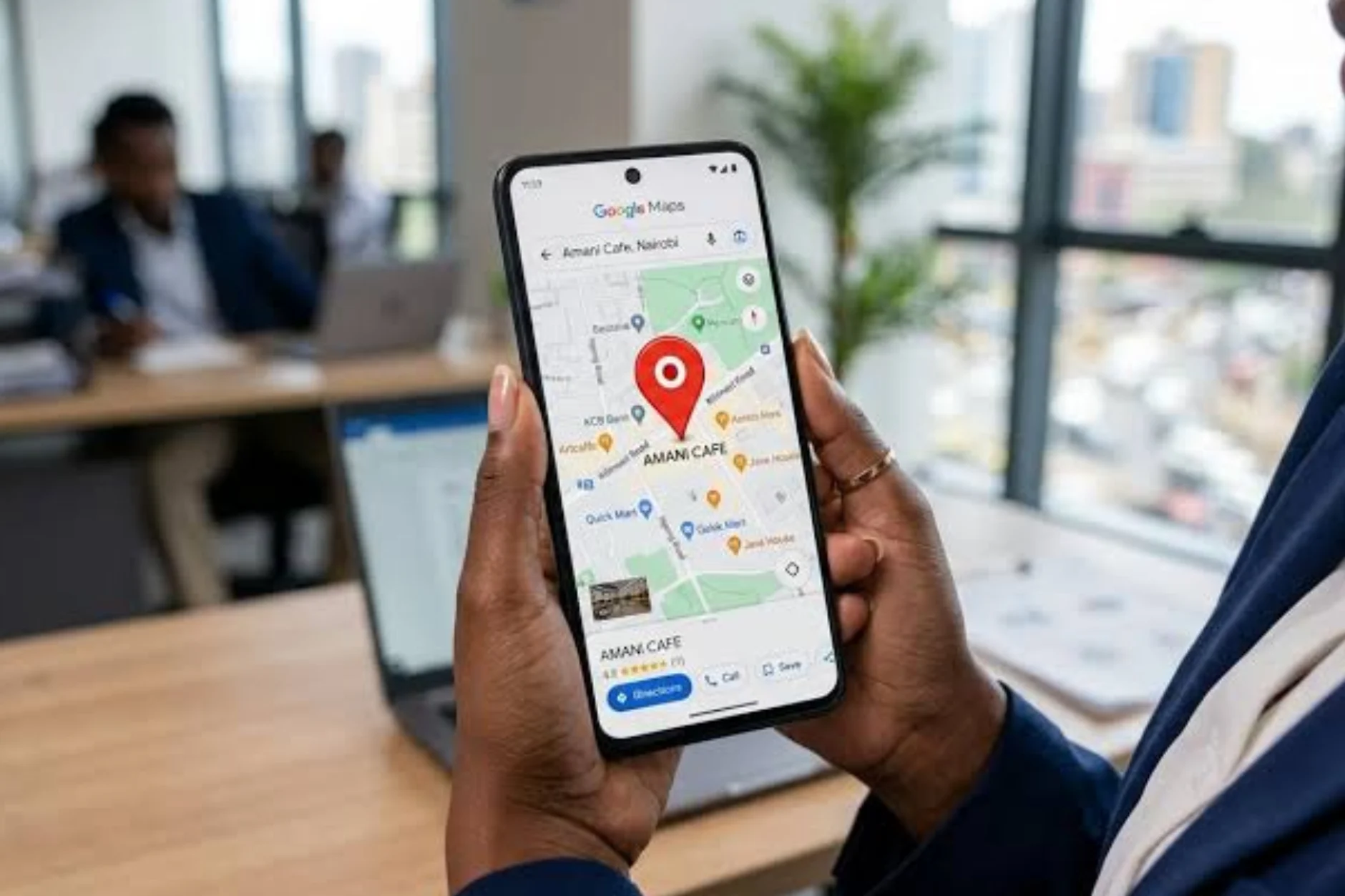 What Is a Google Business Profile and Why Does It Matter in 2026?
A Google Business Profile (GBP) — formerly called Google My Business — is a free business listing that appears in Google Search and Google Maps when someone searches for your business or a service you provide. It's the information panel that shows your hours, address, phone number, photos, reviews, and more.
In 2026, Google remains the dominant entry point for local discovery. When a potential customer searches "plumber near me" or "best coffee shop in Austin," Google's local results — the map pack and business listings — appear before most organic website results. If you don't have a verified, optimized GBP, you're essentially invisible to those searches. According to Google's own documentation, businesses with complete profiles are considered more reputable and are more likely to match relevant searches.
At GMB Guru, we work exclusively with Google Business Profile management and optimization. We see, day in and day out, how much of a difference a properly built profile makes — not just in visibility, but in actual phone calls, direction requests, and website clicks from customers who were already looking to buy.
What Do You Need Before You Start Your GBP Setup?
Before you open a browser, gather the following — having these ready prevents the most common setup delays our clients run into:
- A Google account (Gmail or Google Workspace) that you own and control. Don't use a shared or personal account you might lose access to.
- Your exact legal business name — as it appears on your signage, website, and other directories. Inconsistency here causes ranking problems later.
- Your primary business category — Google uses this to decide which searches you appear in. Pick carefully; this is one of the most influential fields on the entire profile.
- Your business address or service area — if you serve customers at their location (plumbers, cleaners, mobile services), you'll set up a Service Area Business (SAB) instead of pinning a physical address.
- A working phone number and website URL for your business.
- Access to your physical location — some verification methods require you to confirm you're present at the address.
Getting your NAP (Name, Address, Phone) details right from the start is critical. We cover this in depth in our guide on NAP consistency and its impact on local SEO — it's worth reading before you create your profile.
How Do You Create a Google Business Profile Step by Step?
Here's the exact process for creating a new GBP in 2026. Follow each step carefully — skipping or rushing through these fields is where most DIY setups fall short.
Step 1 — Sign In and Search for Your Business
Go to business.google.com and sign in with your Google account. In the search bar, type your business name. Google will check whether a listing already exists for your business. If it does, you'll be prompted to claim it rather than create a duplicate — always check this first. Duplicate listings are a common source of ranking confusion and can lead to profile issues down the road. (If you're in this situation, our guide on how to merge duplicate Google Business Profiles will help.)
Step 2 — Enter Your Business Name and Primary Category
If no existing listing is found, select "Add your business to Google" and enter your business name exactly as it should appear publicly. Then choose your primary business category. This is the single most important field in your entire profile — Google uses it heavily to determine which local searches you qualify for. Choose the most specific, accurate category available. You can add secondary categories later, but your primary category sets the foundation.
Not sure which category to pick? Our detailed guide on Google Business Profile categories breaks down how to choose categories that actually move your rankings.
Step 3 — Add Your Location or Service Area
Google will ask whether you have a physical location customers can visit. If yes, enter your full street address. If you operate as a service area business (you go to the customer), you'll skip the physical address and define the geographic area you serve instead — cities, counties, or zip codes. You can do both if you have a storefront AND serve customers at their location.
Step 4 — Add Your Phone Number and Website
Enter your primary business phone number and your website URL. Make sure the phone number matches what's listed on your website and other directories — inconsistency here signals to Google that your business information may be unreliable, which hurts your local ranking.
Step 5 — Select Your Verification Method
Verification is the step most people get stuck on. Google needs to confirm that you're the legitimate owner of this business at this location. In 2026, verification methods available to you may include:
- Video verification — the most common method in 2026; you record a short video showing your storefront, signage, equipment, or place of work
- Phone or text — Google calls or texts a code to your business number
- Email — a verification code is sent to your business email
- Postcard — a physical postcard with a PIN is mailed to your business address (can take 5–14 days)
- Live video call — a Google representative joins a video call to verify your location in real time
Google assigns the method — you don't always get to choose. Video verification is increasingly the default, and it trips up many business owners. If you're struggling with this step, our Google Business video verification service exists specifically to help businesses pass this on the first attempt.
 How Does GMB Guru Handle GBP Setup for New Clients?
When a new client comes to us needing a profile built from scratch, we don't just fill out the form — we build the profile strategically from the first field to the last. Here's what our setup process looks like in practice:
Our GBP Setup and Verification Process
First, our team conducts a brief intake to understand your business: what you do, who you serve, your geographic footprint, and your existing online presence. We then research the right primary and secondary categories, benchmark your top local competitors to understand what a well-optimized profile looks like in your market, and draft your business description using proven on-profile SEO principles.
Then we build the profile — carefully, with every field populated correctly. Name, address, phone, website, hours, service areas, attributes, products or services, and photos all go in during the initial build. We don't leave placeholder content or skip fields that most DIY setups ignore (like accessibility attributes, payment methods, and service listings).
Verification is where we add the most value for many clients. We guide businesses through the video verification process step by step — or handle it directly — to avoid the frustrating rejections that waste weeks. Once the profile is live and verified, we move into the optimization phase, because a newly verified profile is just the starting line, not the finish.
If you'd like our team to handle your setup end to end, you can reach out to us directly and we'll walk you through what that looks like for your specific business type.
What Should You Do Immediately After Your GBP Is Verified?
Verification confirms you own the profile — it doesn't make you rank. Most newly verified profiles are incomplete, and Google rewards completeness. Here's what to prioritize in the first week after verification:
- Add your business hours — including special hours for holidays. Profiles with accurate hours receive more trust signals from Google.
- Write your business description — you have up to 750 characters. Use the first 250 wisely, as that's what shows before the "more" truncation. Include your primary services and city naturally, without keyword-stuffing.
- Upload photos — at minimum, add a logo, a cover photo, and 5–10 photos of your business, team, products, or completed work. Profiles with photos consistently receive more engagement than those without, according to Google's documentation.
- Add your services or products — Google lets you list individual services with descriptions and prices. This is free structured content that helps Google understand exactly what you offer.
- Enable messaging — customers can message you directly through your profile. Turning this on and responding quickly signals to Google that your business is active and engaged.
- Post your first GBP update — a Google Business Post (an update, offer, or event) signals to Google that your profile is actively managed.
Our full GMB optimization checklist for 2026 covers all of these steps in detail and is worth bookmarking as your ongoing reference.
What Are the Most Common GBP Setup Mistakes to Avoid?
These are the errors our team fixes most often when clients come to us after a DIY setup that isn't performing:
- Using a keyword-stuffed business name — adding "Best Plumber in Denver" to your name field when your legal name is "Smith Plumbing" violates Google's guidelines and can lead to suspension. Use your real business name only.
- Choosing a vague primary category — "Contractor" instead of "General Contractor" or "Kitchen Remodeler" leaves significant ranking opportunity on the table.
- Skipping the service area setup — if you serve customers at their location and don't define your service area, Google may not show your profile in searches from those areas.
- Leaving the profile incomplete after verification — a sparse profile ranks poorly. Google's algorithm rewards completeness and activity.
- Using a personal Gmail instead of a business email — you can use any Google account, but using a business Google Workspace account adds a layer of professional accountability and security.
- Not monitoring for suggested edits — Google allows anyone to suggest changes to your profile. If left unmonitored, these changes can go live and corrupt your listing data.
If any of these describe your current profile, our guide to optimizing your Google Business Profile in 2026 will help you course-correct.
What If I Don't Have a Physical Address — Can I Still Set Up a GBP?
Yes — and this comes up constantly with our clients. If you're a plumber, electrician, landscaper, house cleaner, or any other business that travels to the customer, Google offers the Service Area Business (SAB) option. Instead of displaying a physical address on your profile (which you can hide), you define the geographic regions where you operate.
SABs are fully supported by Google and can rank just as competitively as location-based businesses — but they require a different optimization approach. For a complete breakdown of how to set up and rank a service area business profile, see our dedicated service area business GBP guide.
How Does GMB Guru Optimize a Profile After Initial Setup?
Setup gets your profile on the map — literally. But ranking competitively in the local 3-pack requires ongoing optimization. Our team's approach after initial setup follows a structured process:
We start with a full GBP audit to identify gaps and opportunities — missing attributes, underperforming categories, thin service descriptions, photo deficits, and review patterns. From there, we build a 90-day optimization roadmap that covers content, photos, reviews strategy, GBP posts, Q&A management, and performance tracking.
We also monitor the profile continuously for unauthorized changes, competitor activity, and algorithm shifts. Local search isn't a set-it-and-forget-it channel — Google's local ranking signals evolve, and your profile needs to evolve with them. Our GBP optimization service covers all of this under one roof, so you're not piecing together a strategy from blog posts while your competitors pull ahead.
To explore what full-service GBP management looks like, book a free profile audit and we'll show you exactly where your profile stands and what it would take to move it up.
 Is Google Business Profile Free to Set Up in 2026?
Yes — creating and maintaining a Google Business Profile is completely free. Google does not charge businesses to be listed on Search or Maps. What businesses invest in is the time and expertise required to set it up correctly, optimize it continuously, and manage it over time. That's where agencies like GMB Guru come in — not to access a paid tool, but to provide the strategic knowledge and consistent management that turns a free listing into a genuine revenue channel.
People Also Ask
- How long does it take for a new Google Business Profile to show up on Google Maps?
- Can someone else claim my Google Business Profile without my permission?
- How many photos should I add to my Google Business Profile?
- What's the difference between setting up a GBP and optimizing it?
- Do I need a website to create a Google Business Profile?
- What happens if I set up a GBP with the wrong business category?
People Also Ask
See the FAQ section below for detailed answers to these questions.